
主题
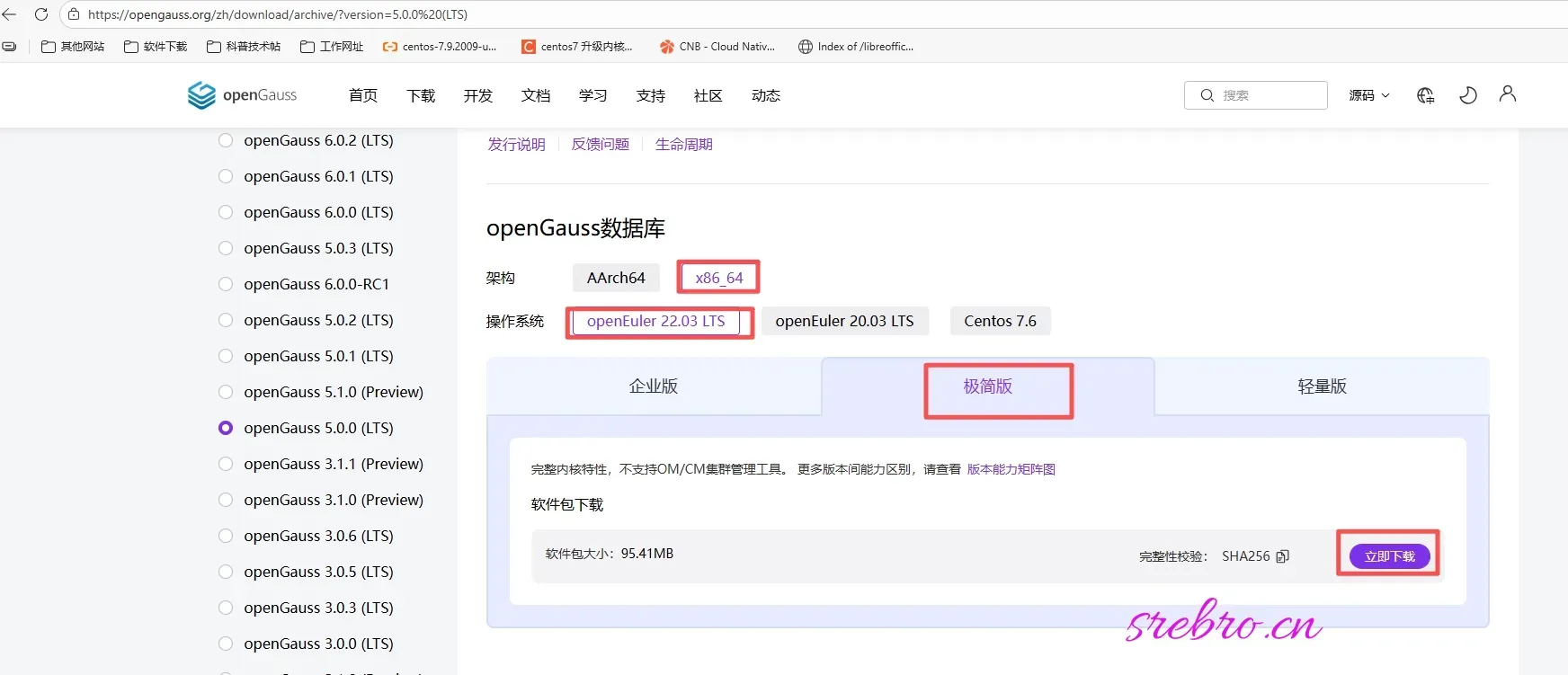
一、下载软件(极简版)
官方下载地址:https://opengauss.org/zh/download/archive/?version=5.0.0%20(LTS)
bash
#创建服务目录
mkdir -p /home/application/openGauss
cd /home/application/openGauss

#下载软件
wget https://opengauss.obs.cn-south-1.myhuaweicloud.com/5.0.0/x86_openEuler/openGauss-5.0.0-openEuler-64bit.tar.bz2

#安装依赖包
yum install libaio-devel readline-devel expect libedit-devel libxml2-devel lz4-devel numactl-devel unixODBC-devel java-1.8.0-openjdk-devel

# openEuler 22.03 默认使用 Python3
sudo yum install python3 -y
sudo ln -sf /usr/bin/python3 /usr/bin/python

# 解压安装包
tar -jxf openGauss-5.0.0-openEuler-64bit.tar.bz2bash
[root@localhost openGauss]# ls -l
总用量 97752
drwxr-x---. 2 root root      4096  3月 29  2023 bin
drwxr-x---. 3 root root      4096  3月 29  2023 etc
drwxr-x---. 3 root root      4096  3月 29  2023 include
drwxr-x---. 4 root root      4096  3月 29  2023 jre
drwxr-x---. 5 root root      4096  3月 29  2023 lib
-rw-r--r--. 1 root root 100062430 12月  8 15:49 openGauss-5.0.0-openEuler-64bit.tar.bz2
drwxr-x---. 5 root root      4096  3月 29  2023 share
drwxr-x---. 2 root root      4096  3月 29  2023 simpleInstall
-rw-r-----. 1 root root 32 3月 29 2023 version.cfg二、新用户和组
bash
#新建组和用户
groupadd dbgroup
useradd -g dbgroup omm

#设置用户密码
passwd omm

#设置目录权限
cd /home/application
chown -R omm.dbgroup openGauss/三、设置系统参数
bash
# 修改内核参数
sudo vi /etc/sysctl.conf添加以下内容:
bash
kernel.sem = 250 32000 100 999
kernel.shmall = 197951838
kernel.shmmax = 81000000000
kernel.shmmni = 819200
net.core.netdev_max_backlog = 10000
net.core.rmem_default = 262144
net.core.rmem_max = 4194304
net.core.wmem_default = 262144
net.core.wmem_max = 4194304
fs.file-max = 6815744
net.ipv4.tcp_keepalive_time = 60
net.ipv4.tcp_keepalive_probes = 10
net.ipv4.tcp_keepalive_intvl = 10
net.ipv4.tcp_retries1 = 5
net.ipv4.tcp_syn_retries = 5
net.ipv4.tcp_synack_retries = 5
net.ipv4.tcp_fin_timeout = 2
net.ipv4.tcp_synack_retries = 5
net.ipv4.tcp_syncookies = 1
net.ipv4.tcp_tw_reuse = 1
net.ipv4.tcp_tw_recycle = 0
net.ipv4.tcp_max_tw_buckets = 60000
net.ipv4.ip_local_port_range = 20000 65535
vm.overcommit_memory = 0使配置生效:
bash
sudo sysctl -p修改用户资源限制:
bash
sudo vi /etc/security/limits.conf添加以下内容:
bash
omm soft nofile 1000000
omm hard nofile 1000000
omm soft nproc unlimited
omm hard nproc unlimited
omm soft stack 10240
omm hard stack 32768
omm soft memlock 50000000
omm hard memlock 50000000四、安装
bash
su - omm
cd /home/application/openGauss/simpleInstall
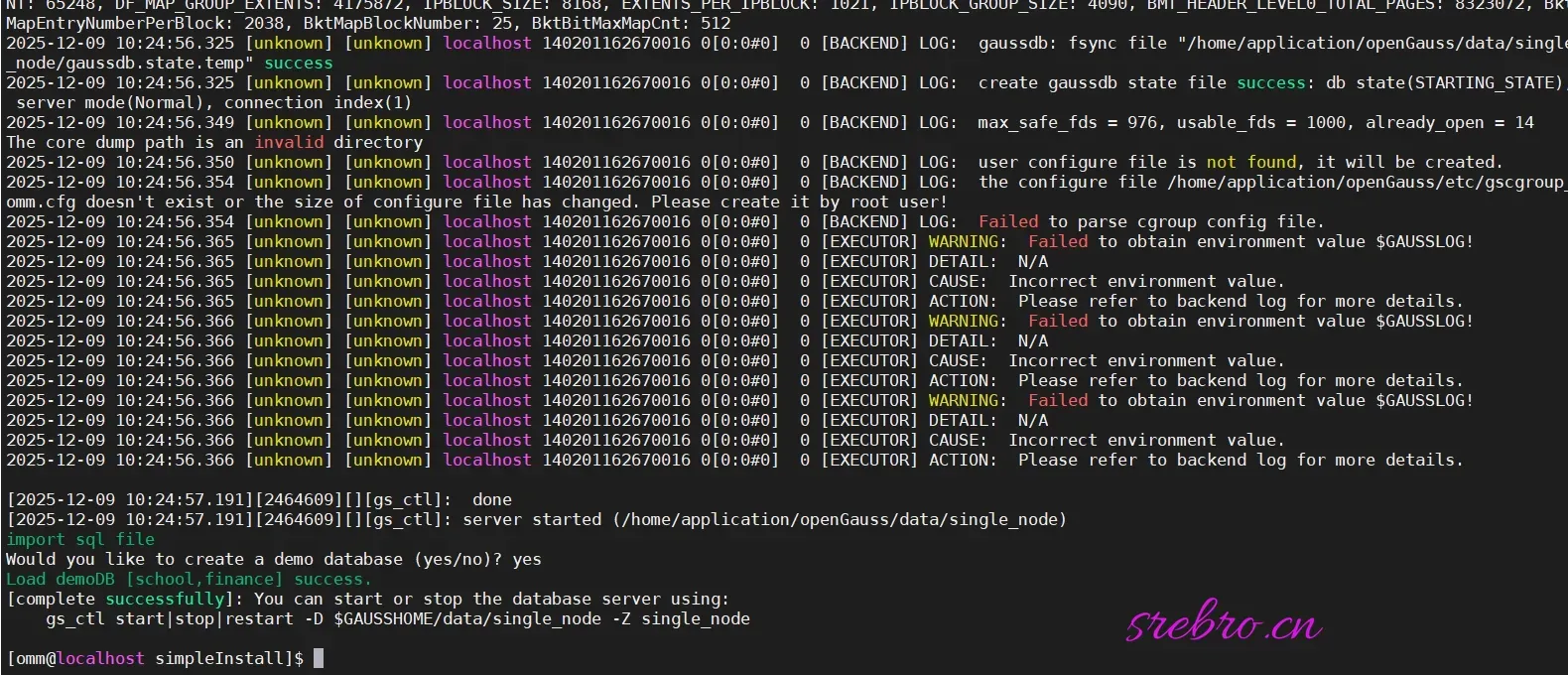
sh install.sh -w passwd # passwd 为数据库设置密码安装完成!
五、报错解决办法
报错信息 1

报错需要添加软连接:
bash
# 查找已安装的 libreadline 版本
find /usr/lib* -name "libreadline.so*"

# 通常系统有 libreadline.so.8,创建软链接到 libreadline.so.7
sudo ln -s /usr/lib64/libreadline.so.8 /usr/lib64/libreadline.so.7

# 或者如果路径不同
sudo ln -s /usr/lib/libreadline.so.8 /usr/lib/libreadline.so.7报错信息 2

解决办法:
bash
vim /etc/profile.d/opengauss.shbash
#!/bin/bash
export GAUSSHOME=/home/application/openGauss
export LD_LIBRARY_PATH=$GAUSSHOME/lib:$GAUSSHOME/bin/lib:$GAUSSHOME/lib/postgresql:$LD_LIBRARY_PATH
export PATH=$GAUSSHOME/bin:$PATH
export PGDATA=$GAUSSHOME/data/single_node
export PGHOST=$PGDATAbash
vim /etc/profilebash
#opengauss
export PATH=$PATH:/home/application/openGauss/bin执行生效命令:
bash
source /etc/profile六、启动、停止、查看状态
bash
gs_ctl start -D /home/application/openGauss/data/single_node -Z single_node
gs_ctl status -D /home/application/openGauss/data/single_node
gs_ctl stop -D /home/application/openGauss/data/single_node七、修改配置监听所有 IP
bash
cd /home/application/openGauss/data/single_node7.1 修改 postgresql.conf
bash
vim postgresql.conf找到 listen_addresses 参数,修改为:
bash
listen_addresses = '0.0.0.0'如果该行被注释(以 # 开头),取消注释并修改。
启用 md5 加密:
bash
password_encryption_type = 07.2 修改 pg_hba.conf
为了允许远程连接,需在 pg_hba.conf 中添加客户端访问规则。例如,允许所有 IP 通过密码连接:
bash
vim pg_hba.conf在文件末尾添加:
bash
# IPv4 所有连接
host    all             all             0.0.0.0/0               md5
# 或使用 scram-sha-256 加密(根据版本选择)
host all all 0.0.0.0/0 scram-sha-256八、本机连接验证
bash
gsql -d postgres -p 5432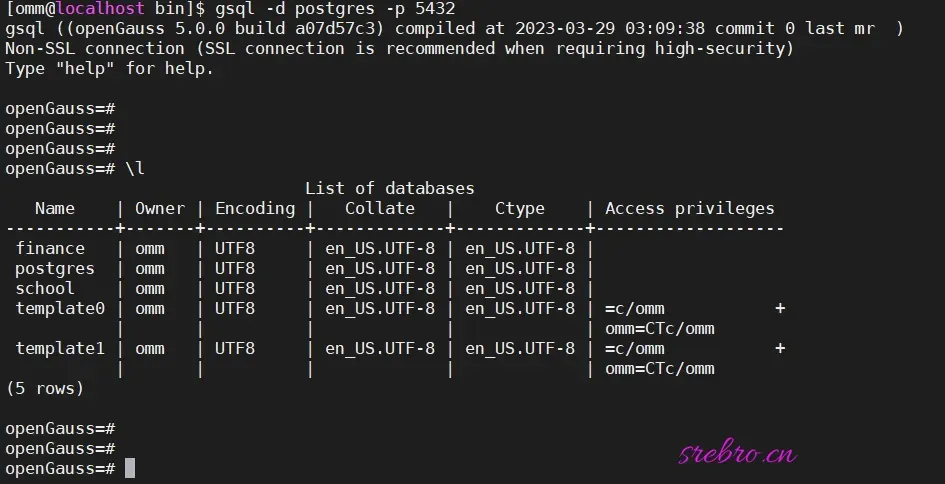
九、添加 systemctl 服务管理
bash
vim /etc/systemd/system/opengauss.servicebash
[Unit]
Description=openGauss Database Server
After=network.target

[Service]
Type=forking
User=omm
Group=dbgroup
WorkingDirectory=/home/application/openGauss

# 设置完整的环境变量
Environment=GAUSSHOME=/home/application/openGauss
Environment=LD_LIBRARY_PATH=/home/application/openGauss/lib:/home/application/openGauss/bin/lib:/home/application/openGauss/lib/postgresql:/usr/local/lib64:/usr/lib64:/usr/local/lib:/usr/lib
Environment=PATH=/home/application/openGauss/bin:/usr/local/sbin:/usr/local/bin:/usr/sbin:/usr/bin
Environment=PGDATA=/home/application/openGauss/data/single_node
Environment=PGHOST=/home/application/openGauss/data/single_node

# 启动命令
ExecStart=/bin/bash -c "cd /home/application/openGauss && ./bin/gs_ctl start -D ./data/single_node -Z single_node"
ExecStop=/bin/bash -c "cd /home/application/openGauss && ./bin/gs_ctl stop -D ./data/single_node"

# 资源限制
LimitNOFILE=1000000
LimitNPROC=1000000
TimeoutSec=300
Restart=on-failure
RestartSec=10

[Install]
WantedBy=multi-user.targetbash
chmod +x /etc/systemd/system/opengauss.service
systemctl daemon-reload
systemctl start opengauss
systemctl status opengauss
systemctl enable opengauss十、远程连接
创建远程用户:
bash
gsql -d postgres -p 5432bash
openGauss=# SELECT usename FROM pg_user;
 usename
---------
 omm
(1 row)

openGauss=#
openGauss=# CREATE USER postgres WITH PASSWORD '密码' LOGIN;
NOTICE:  The encrypted password contains MD5 ciphertext, which is not secure.
CREATE ROLE
openGauss=# SELECT usename FROM pg_user;
 usename
----------
 omm
 postgres
(2 rows)

openGauss=# ALTER USER postgres CREATEDB CREATEROLE;
ALTER ROLE
openGauss=#常用 SQL 命令汇总:
bash
SELECT usename FROM pg_user;   # 查看用户

CREATE USER postgres WITH PASSWORD '密码' LOGIN;   # 创建登陆用户

ALTER USER postgres CREATEDB CREATEROLE;   # 授权